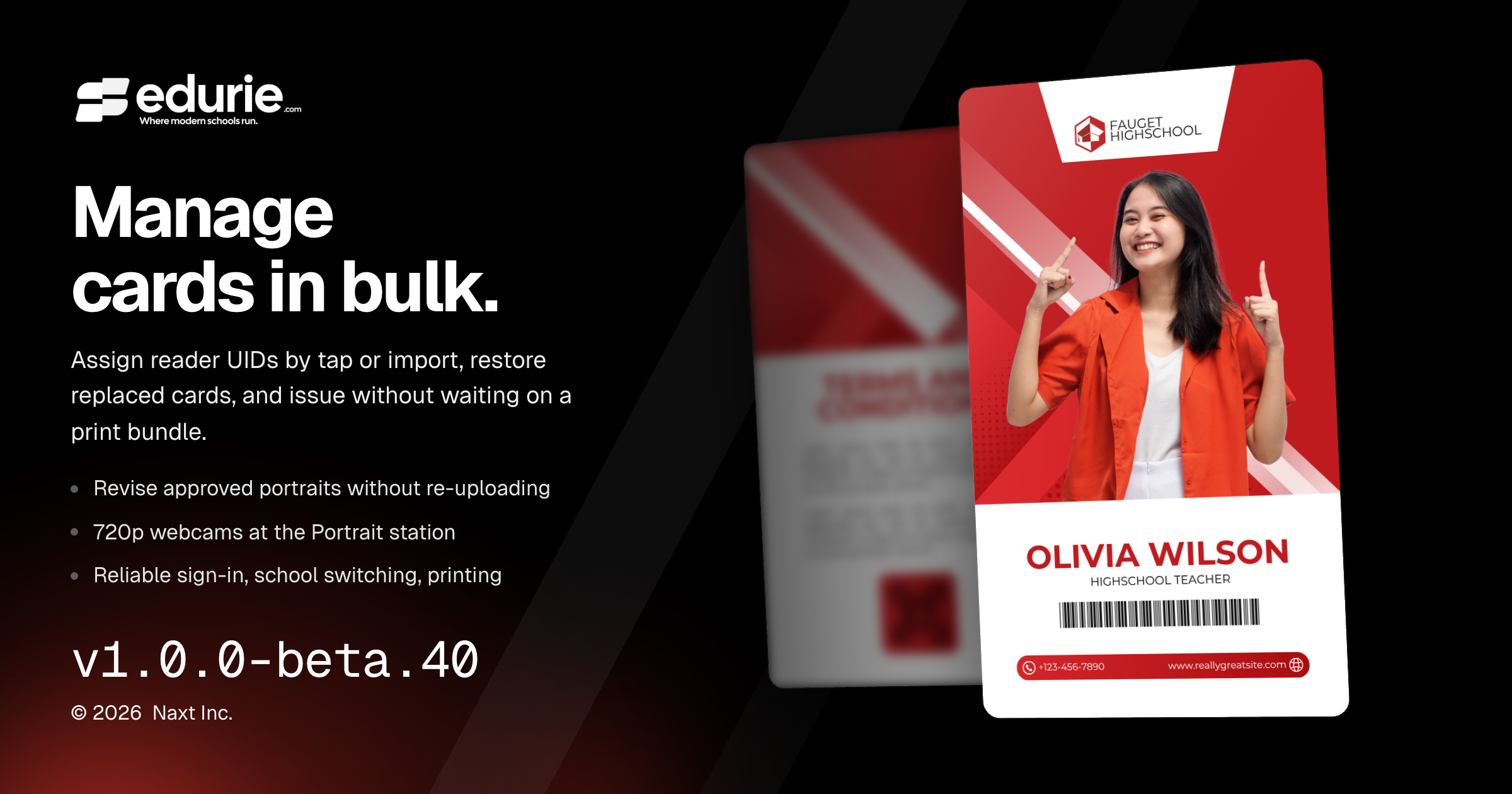
Manage ID cards more easily with bulk card UID assignment, card restoration, and a simpler issue-to-print workflow.
Capture and revise portraits with clearer approval states, more consistent enhancement framing, and support for 720p webcams.
Benefit from more reliable sign-in, school switching, card printing, and smaller-screen layouts.
✨ What’s New
ID cards
Manage card UIDs in bulk: Assign reader identifiers by tapping through the card table or importing a list. Search, filter, export, and check cards by UID, with duplicate-assignment checks.
Restore a previous card: Authorized staff can restore an unexpired replaced or revoked card. Before issuing a batch, Edurie identifies members who already hold valid cards and lets you leave them out.
Portraits
Revise an approved portrait without uploading again: Adjust its crop, exposure, or tilt, or enhance it again after changing the uniform. Revisions appear in Pending for approval while the current portrait remains clearly visible. Card issuing warns when a new capture awaits review; already-issued cards remain unchanged.
🛠 Improvements
ID cards
Issue, then print: Issuing cards no longer waits for a print-shop bundle. Issue or replace an individual card immediately, and build downloadable bundles only when needed. Previous cards are now available from a compact history panel.
Portraits
More accessible capture and consistent enhancement: The Portrait station accepts 720p webcams. Enhance now better preserves the head position and size established during cropping.
Admin experience
Direct access to key pages: Portraits, ID Cards, and School Settings now offer sidebar sub-pages and searchable shortcuts, leaving more room for reviewing portraits and working with card tables.
🩹 Fixes
Portraits and ID cards
Approved enhanced photos now appear correctly in portrait lists, profile photo downloads, and issued-card rows. Card photos and avatars preserve the top of the portrait, and failed photo loads no longer look like missing portraits.
A uniform reference can cover multiple academic levels. Portrait enhancement now prioritizes the closest level and sex match rather than choosing a general uniform simply because it appears first.
Artwork card printing now more closely matches the design preview, with consistent text sizing, better fitting of long text, adjustable rounded corners, and scannable QR margins on dark artwork. Name fields support middle initials or full middle names, including on existing cards without reissuing.
Removing members from draft card runs now works reliably. Selection boxes and totals stay synchronized, and selecting or clearing a filtered list applies across its pages.
Account access
Sign-in now accepts usernames as well as email addresses, including student numbers used as usernames.
Registration passwords take effect only after email-code verification. Sign-in protections and restrictions on unauthorized password, role, and account-access changes have also been strengthened.
Admin experience
Reloading ID card and related pages no longer redirects users to another school. School switching now remembers the most recently accessed school.
Table controls stay within narrow screens and side panels. Appearance previews display consistently, and the System theme follows the device’s light or dark setting.
Successful photo imports no longer show a misleading “Nothing to add” message. Upload controls allow the same file to be selected again, including for photos, logos, and scanned grading sheets.
Gradebook
Grade amendment requests can now be canceled reliably with a reason.
Teachers can now fine-tune which students are included when printing answer sheets for a class.
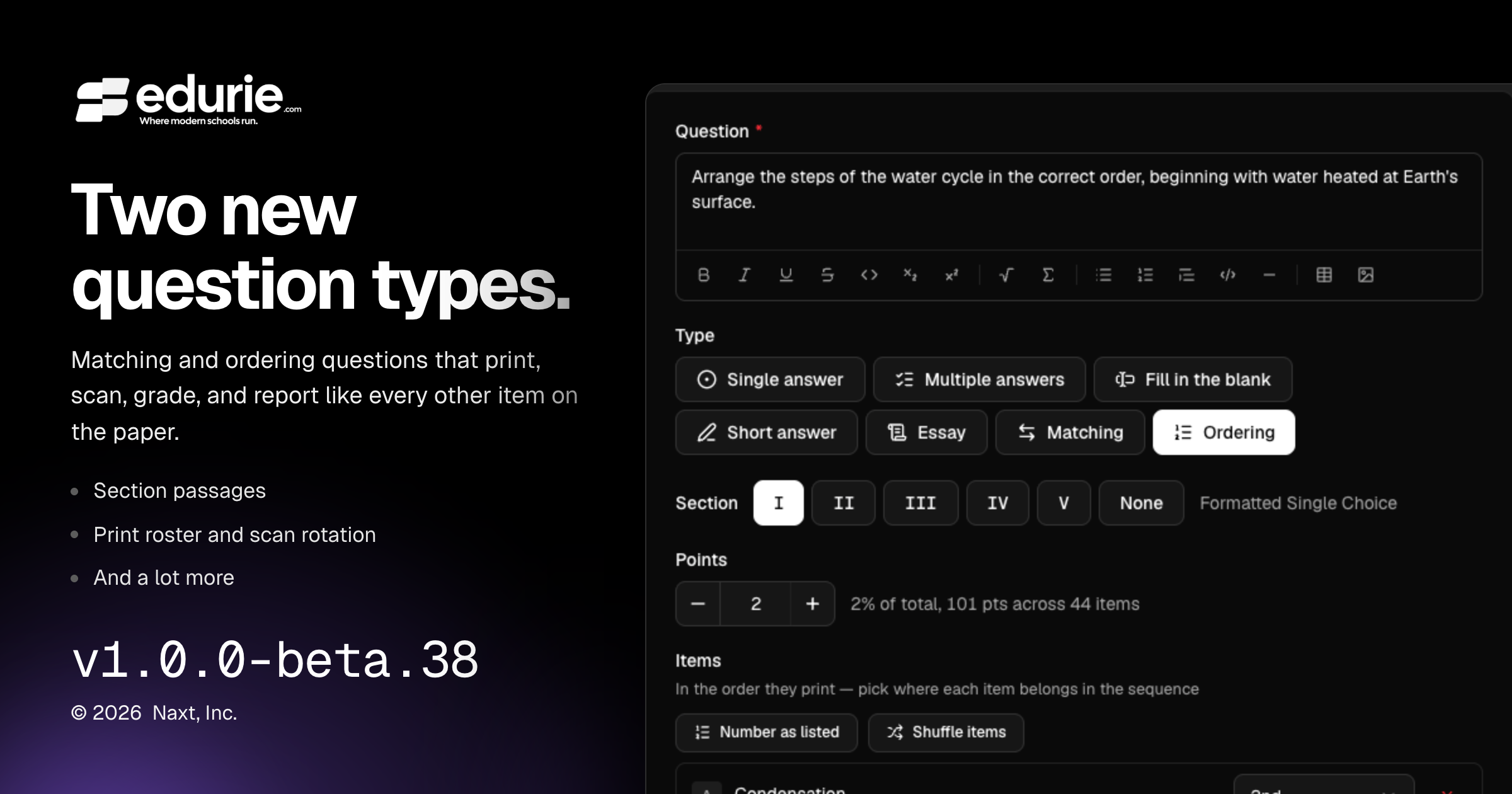
Assessments now support matching questions, ordering questions, and rich section passages.
Scan & Grade now makes it easier to correct rotated scans and review rich question content accurately.
✨ What’s New
Gradebook
Added Matching questions: students pair prompts with choices from a shared lettered bank, with support for printing, scanning, grading, review, and analytics.
Added Ordering questions: students arrange items into the correct sequence, with support for printing, scanning, grading, review, and analytics.
Added section passages so teachers can place shared reading text, figures, tables, or other rich content above a group of questions and include it on printed assessments and answer keys.
Added a Print roster on the Answer sheets card. Teachers can skip students who do not need printed sheets for a class, and that selection is remembered for future packs, previews, and counts.
Added scan rotation controls so teachers can turn a scanned page upright during triage or review and re-read answers from the corrected page.
🛠 Improvements
Gradebook
Review, sheet drawers, and analytics now show richer assessment content as it appeared on the printed paper, including math, code, figures, tables, passages, and model answers.
🩹 Fixes
No additional user-visible fixes were included in this release.
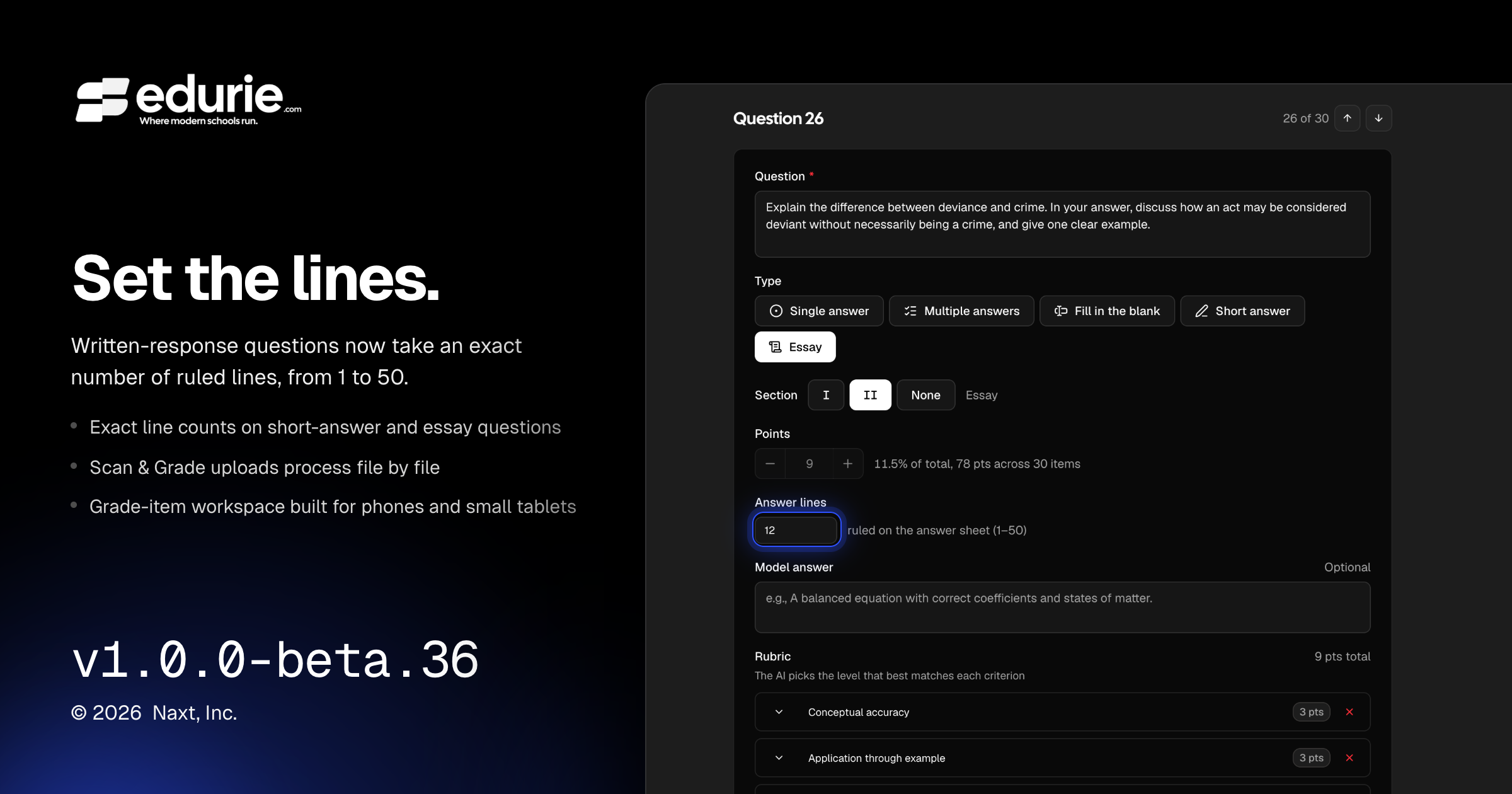
Teachers can now set written-response answer space using an exact line count from 1–50.
Scan & Grade uploads are more reliable for large batches, with per-file progress and failures.
The grade-item workspace is easier to use on phones and small tablets.
Several workspace layout issues were resolved, including extra page scroll, overflowing tabs, and collapsed action buttons.
✨ What’s New
Gradebook
Written-response questions now support a custom line count from 1–50, replacing the previous short/medium/long presets. Existing defaults remain the same for new short-answer and essay questions.
🛠 Improvements
Gradebook
Scan & Grade uploads now process each scan file individually, making large batches more reliable and allowing successful files to continue even if one file has an issue.
The grade-item workspace now adapts better on phones and small tablets, including improved scrolling, sheet review, and unmatched-scan triage workflows.
Workspace headers are more responsive on smaller screens, with actions moving into overflow menus where needed while preserving keyboard shortcuts.
Admin experience
Generated account and email verification links are now more consistently secure in production environments.
Behind-the-scenes quality updates improve reliability across application workflows and background processing.
🩹 Fixes
Gradebook
Fixed an issue where the build assistant could silently stop when working with attached documents in production.
Fixed grade-item workspace pages sometimes becoming too tall after a production reload, causing unnecessary scrolling.
Fixed collapsed icon buttons in the grade-item workspace header.
Fixed Print and Scan & Grade empty states so they display at the intended size instead of stretching across the full workspace.
Fixed a mobile grading issue where switching between scan panes could discard unsaved rubric edits.
Academic records
Fixed grouped enrollment export previews so program tabs stay inside the dialog and can be scrolled horizontally when needed.